
The following article will provide you with step-by-step instructions on how to add your Black-owned business to Kinetic Market. You can watch the video below, read the article, or both. It’s completely up to you and how you learn.
Create or Login to Your Account #
Create a free account or login to your account by clicking or tapping on “Account” in the main menu as shown

Subscribe to a Free or Paid Plan #
Go back to the navigation menu and click or tap on the “Add Listing” button shown below

This will take you to the plan selection shown below. You can do a lot with a free plan but we recommend the Grow plan as it helps support our community and offers additional items to your listing, such as business hours and frequently asked questions.

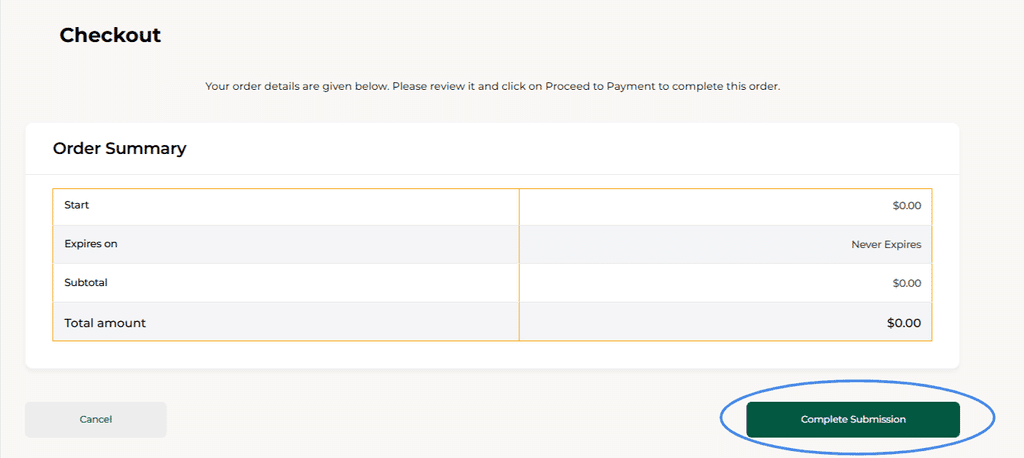
On the checkout page, click or tap on the “Complete Submission” button to continue.
Next, you will see your payment receipt even if you select the free plan. Click or tap on the “Submit Listing” button to start adding your listing.

Add Your Details and Submit Listing #
This part is pretty straight-forward. Simply complete the listing form with all relevant details. Once you are done, click or tap on the “Save & Preview” button. You will be able to see how your listing will look to viewers. If everything looks correct, click on “Continue to Publish”.
This will submit your listing to Kinetic Market for review. We will review the listing within 24 hours (usually sooner) and if everything looks good, we will approve the listing. In the rare case, your listing is denied you can contact us to find out why.
Spread the word #
Tell your customers and social media that you are on Kinetic Market and invite them to leave you a review. This word-of-mouth will help you when potential new customers find your listing on our platform.